
3.5.16 - New User Permissions & Status Updates
New Front desk roles
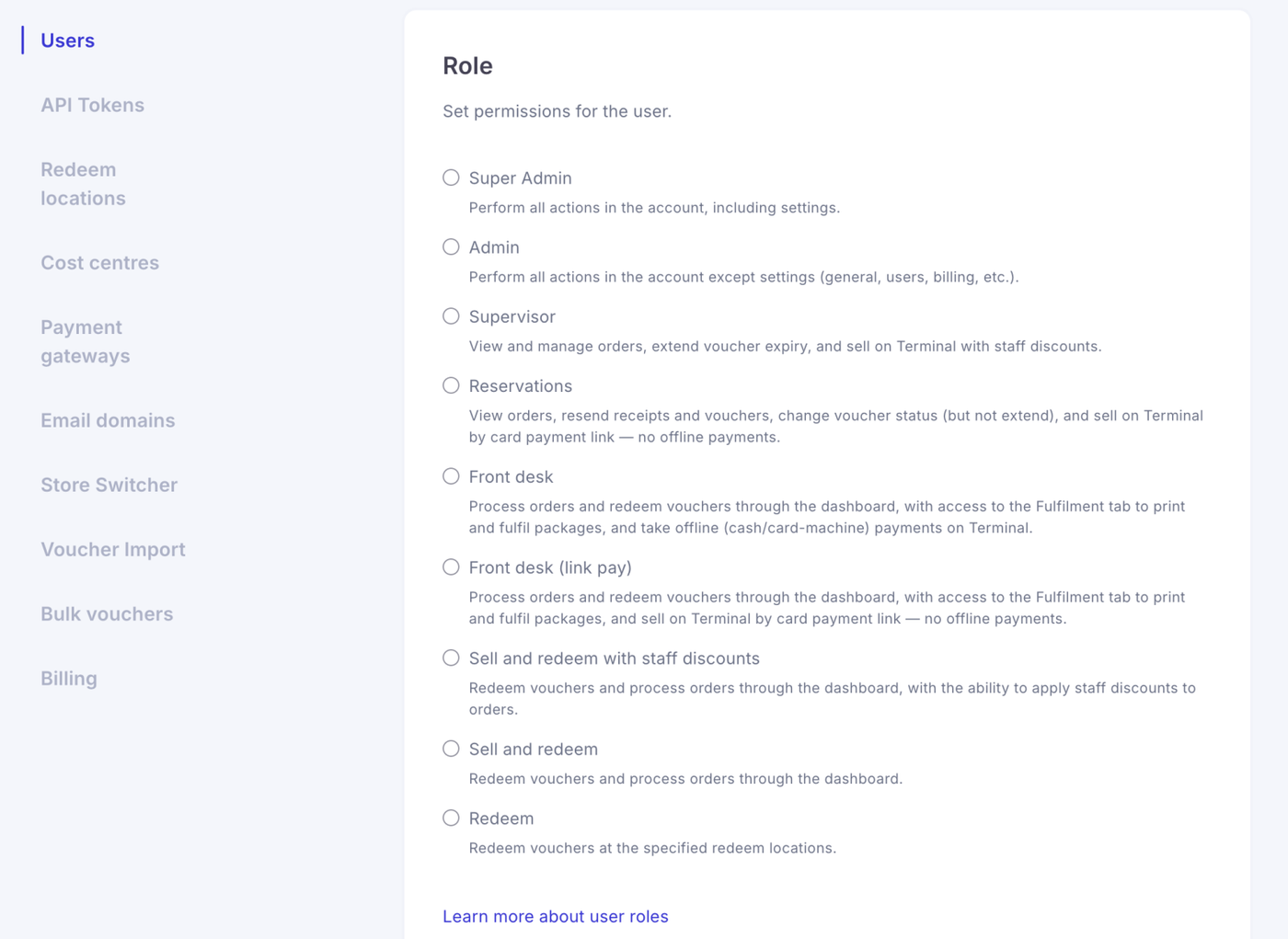
We’ve introduced two new roles designed specifically for reception, front desk and on-site teams.
Front desk (offline pay) gives users access to the sales terminal and Fulfilment only and can only take offline payments.
Front desk (link pay) provides the same streamlined access, but removes the ability to take offline payments. Users can still create orders and send customers a secure payment link to complete payment.
These roles make it easier to give front-of-house teams exactly the access they need without exposing unnecessary account settings.
Offline payments are now permission based
Offline payments are now controlled by user permissions rather than simply being available to anyone with terminal access.
If a user’s role does not allow offline payments, the terminal will only display the Take card payment option.
Supervisor, Admin, Front desk and both Sell and redeem roles retain offline payment access. Reservations users no longer have this permission.
Existing users will retain the payment capabilities they previously had, so current account setups will continue to work as expected.
Voucher refunds
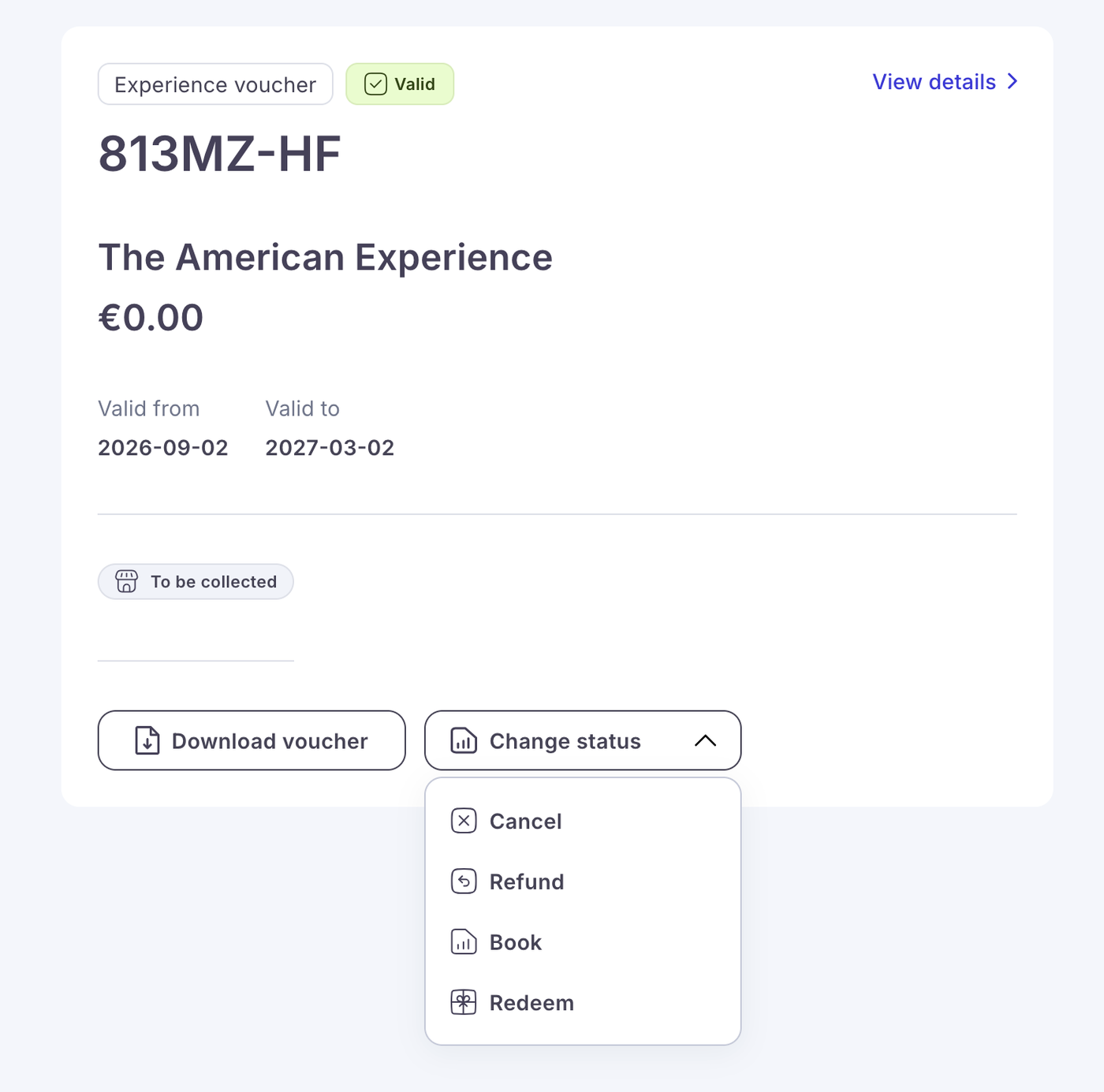
Supervisor users and above can now refund vouchers directly from the voucher status menu.
Refunds are available for:
- Issued vouchers
- Booked vouchers
- Not-yet-valid vouchers
Lower permission levels will not see the refund option.
We have also removed the previous restriction preventing not-yet-valid vouchers from being cancelled or refunded.
New Refunded voucher status
Refunded vouchers are now clearly identified throughout the platform.
A Refunded status will appear on:
- Order details
- Order lists
- Order history
- Sales reports
- Storefront voucher balance checks
Refunded vouchers can no longer be redeemed, with the Redeem option disabled in the terminal.
They are also automatically removed from the Outstanding report, while the Sales report will identify the voucher as refunded.
This gives finance and operational teams a much clearer picture of voucher liabilities and prevents refunded vouchers being accidentally accepted.
Mark collection orders as collected
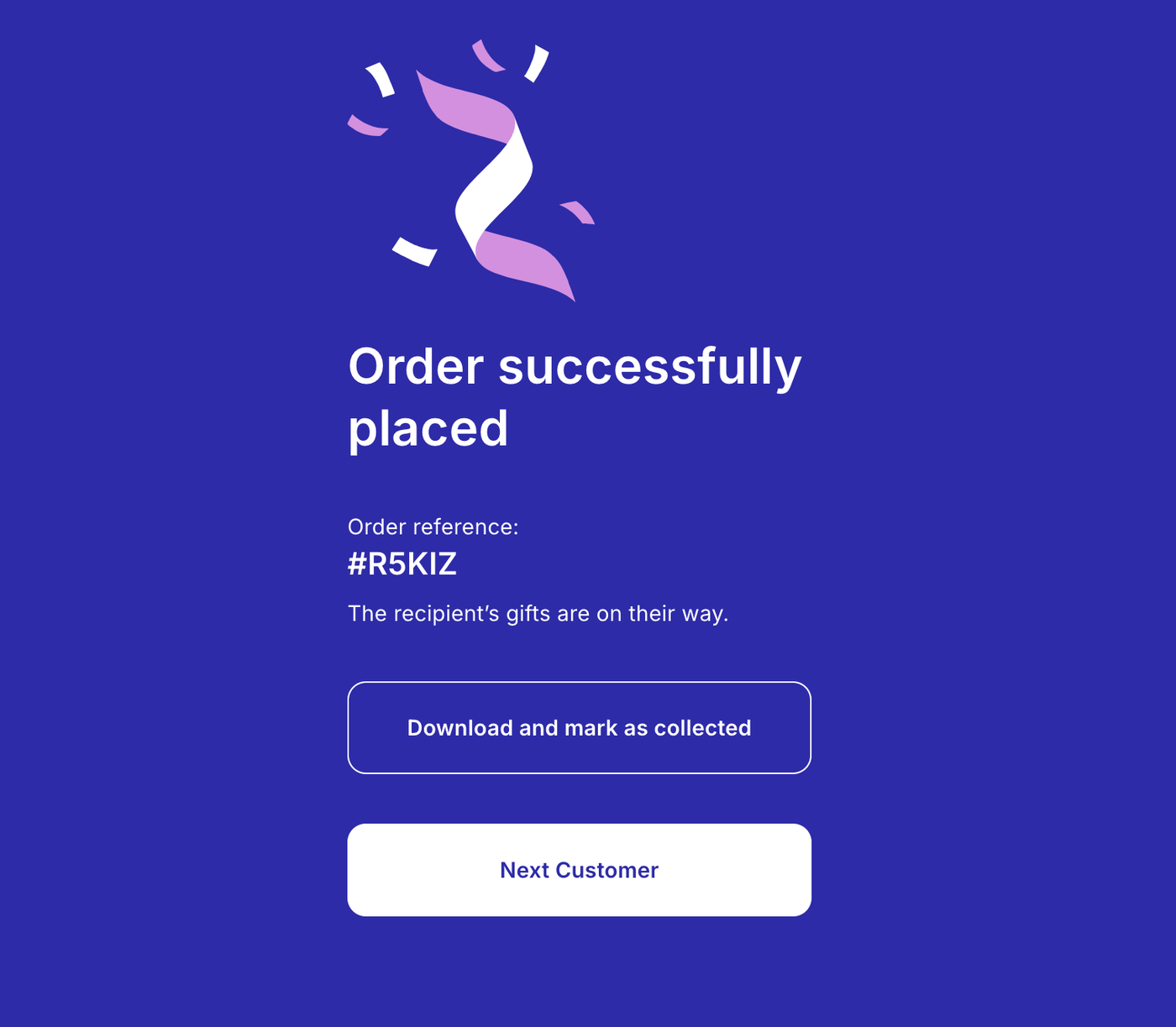
Collection orders can now be marked as collected immediately after completing a sale.
The completion screen will display Download and mark as collected for collection orders, whether the customer paid directly through the terminal or completed payment using a payment link.
This helps front desk teams keep fulfilment records accurate without needing to return to the order afterwards.
Admins can override stock limits
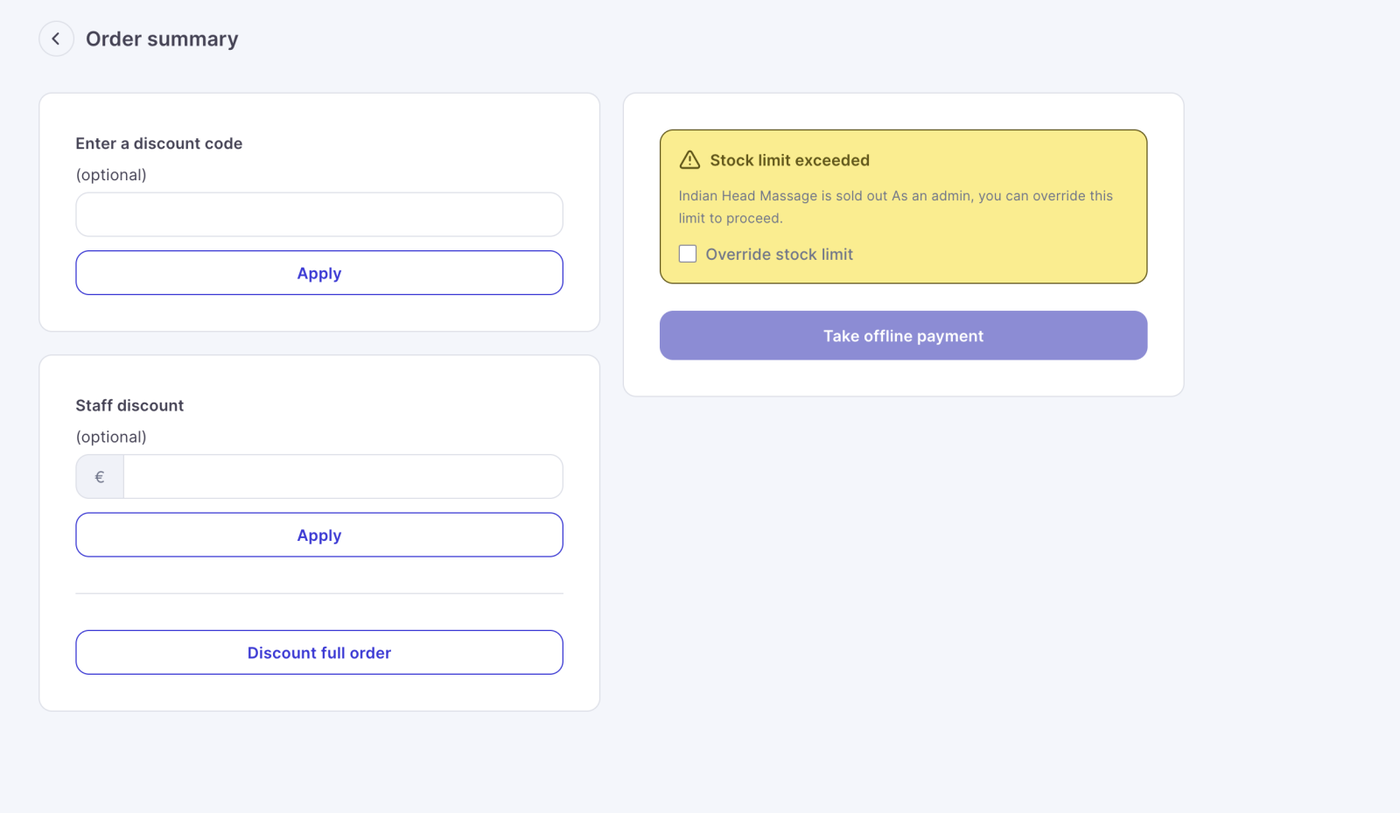
Admin users can now override product stock limits when processing a sale through the terminal.
If a product has sold out, Admins can select Override stock limit and continue with the transaction.
Previously this functionality was restricted to Super Admin users.
This gives operational teams more flexibility when handling exceptional sales without requiring access to the highest account permission level.
Test vouchers in reports
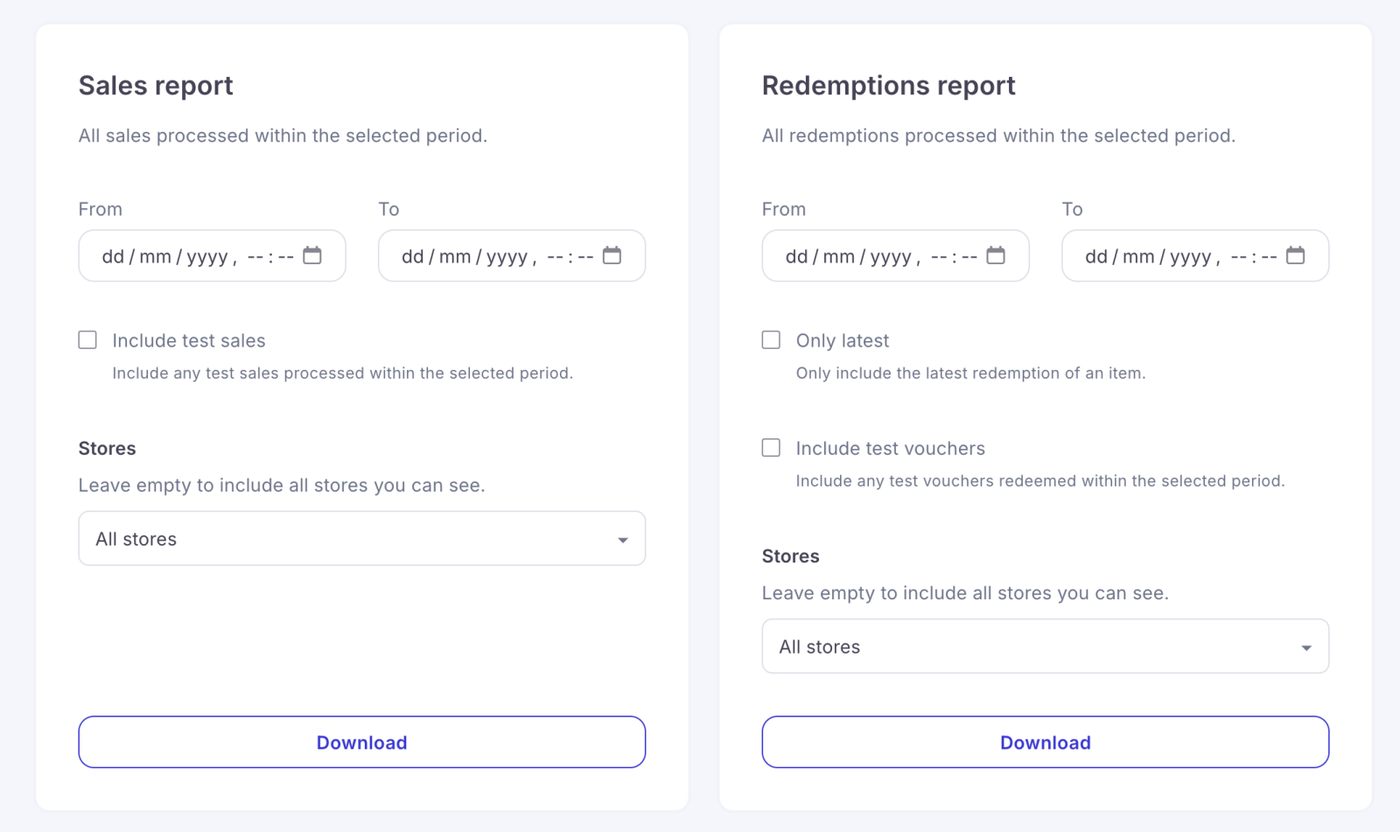
Redemptions, Expirations and Outstanding report exports now include an Include test vouchers option.
When enabled, test vouchers will be included within the export alongside a new Type column identifying each voucher as either:
- Live
- Test
This makes it easier to test stores and operational processes while keeping test activity clearly separated from genuine voucher liabilities and reporting.
More recipient information in Sales reports
Sales report CSV exports now include two additional columns:
- Recipient name
- Recipient email
This gives businesses clearer visibility of who a voucher was purchased for and makes exported sales data more useful for customer service, reconciliation and analysis.
Clearer basket limit messages
We’ve improved the messages customers and staff see when basket limits are reached.
Both the storefront and sales terminal will now clearly explain when:
- Too many products have been added to the basket
- Too many addons have been selected for a product
The message also includes the actual allowed and selected quantities, making it much easier to understand what needs to be changed before continuing.
Category tile descriptions
Categories can now have their own short tile description.
Descriptions can be added, updated or removed from the dashboard and will display directly on the relevant category tile on supported storefront designs.
This gives businesses another way to explain their categories and help customers understand what they’ll find before clicking through.
Fixes & improvements
A number of smaller improvements and fixes have also been included in this release:
- User role filtering: Settings → Users now displays every available role in the filter, including Supervisor and Reservations, and correctly returns users assigned to each role.
- Store design saving: stores can now be saved without selecting a hero button action or category layout without generating an error.
- Dark mode emails: voucher, receipt, payment link and postal tracking emails have been improved for readability across both light and dark email clients.
- Fulfilment emails: the daily fulfilment email now correctly displays No items to fulfil today when there are no outstanding items.
- Tracking emails: the tracking email illustration has been removed for a cleaner layout.
- Report exports: tag data within report CSV exports now correctly aligns with the appropriate column headings.
- Store links on order details: the store link displayed under Purchased at now opens the correct storefront instead of generating a broken duplicated domain.